Let Aspire start the topology
The container mode kept the product inside the test process. The topology mode hands the product its own processes: an Aspire AppHost starts the API, both workers and the two containers, and the suite follows the addresses it publishes.
- Select the AppHost with one key and read what it starts.
- Tell which provider serves a target when the AppHost is selected.
- Name the gates behind the journeys that skip against real processes.
- Run the suite on containers (lesson 1).
- An OpenCSMS checkout and a container runtime. Reading the lesson alone also works.
The scenario
The next step after fresh containers is the product's own processes: a real API, a real billing worker, a real notification worker. OpenCSMS declares that topology in Aspire. The suite resolves its targets through it with the same Setup.
The AppHost stays dormant unless a selection key asks for it. That is what keeps one Setup working across four modes.
What the AppHost declares
The AppHost project is a small file with no product code. It declares the topology:
- PostgreSQL, with an
opencsmsdatabase, as a container resource. - RabbitMQ as a container resource.
- The API project, which also serves the dashboard, as a project resource.
- The billing worker and the notification worker as project resources.
The suite's registration maps those resources onto the targets it already has:
1.AddAspireAppHost<OpenCsmsAppHostAnchor>(2options => options3.MapResource("api", CsmsTargets.Api)4.MapConnectionString("opencsms", CsmsInfrastructureExtensions.ConnectionStringKey)5.MapConnectionString("rabbitmq", RabbitMqOptions.ConnectionStringSetting),6"api",7"opencsms",8"rabbitmq")
- Pin the AppHost assembly
A public anchor type names the assembly, because the AppHost entry point is internal and the testing host runs that entry point in-process.
- The API becomes the application
MapResource publishes the api resource under the Csms application, so the REST and browser clients follow its address.
- The store and the broker
MapConnectionString fills the two keys the existing providers also serve, so nothing downstream changes.
- Declare the resources
The last three names are the resources this registration follows.
Setup.cs. The chain order still holds: a configured address wins over the AppHost.Select it, then run it
The run script does exactly one thing to select this mode. It clears the keys a published run would export and sets the global selection key:
pwsh eng/run-suite.ps1 -Mode topology
That sets ProtoTest__Aspire__Enabled=true, which is the environment variable form of ProtoTest:Aspire:Enabled. Without a selection key the AppHost never starts, and the suite resolves every target through its other providers. A per-resource key, ProtoTest:Aspire:Resources:{resource}:Enabled, selects one resource instead of all of them. The Aspire page documents both.
The AppHost also steps aside for what the run already provides. A run that exports the store or the broker key keeps it; the AppHost declares its own resource only for a key the environment left unset.
The run's own counts
Passed! - Failed: 0, Passed: 61, Skipped: 13, Total: 74, Duration: 20 s - OpenCsms.Suite.dll (net8.0)
That is the run recorded on 2026-09-28 in opencsms-topology-20260928-094052.log. The 13 skips are the journeys that need the test host or the run's clock; the log lists each one by name, and the condition on the test names the reason. The suite still owns the tests, the fixtures and the evidence. It does not own the product's lifetime any more.
:::note What this mode cannot do
Two limits are worth knowing before you build an AppHost for a suite. The AppHost must target the suite's framework: the testing host runs the AppHost's entry point inside the test process, and the AppHost's orchestrator launches project resources with dotnet run, which cannot choose a target framework. OpenCSMS keeps every project on net8.0 for this reason. And real processes mean real clocks: a test that moves the run's clock cannot move a process it does not own, so it should declare [RequiresTestClock] and skip here instead of failing.
:::
How the three modes compare, with the counts each lesson quotes:
| Mode | API | Workers | Store and broker | Counts |
|---|---|---|---|---|
| Containers | In the test process | In the test process | Postgres container the run starts; RabbitMQ container the run starts | 75 passed, 0 skipped of 75 |
| Aspire topology | AppHost api project resource | AppHost project resources | AppHost Postgres container; AppHost RabbitMQ container | 61 passed, 13 skipped of 74 |
| Published | A process started outside the suite | Processes started outside the suite | Persistent container the run points at; Persistent container the run points at | 61 passed, 13 skipped of 74 |
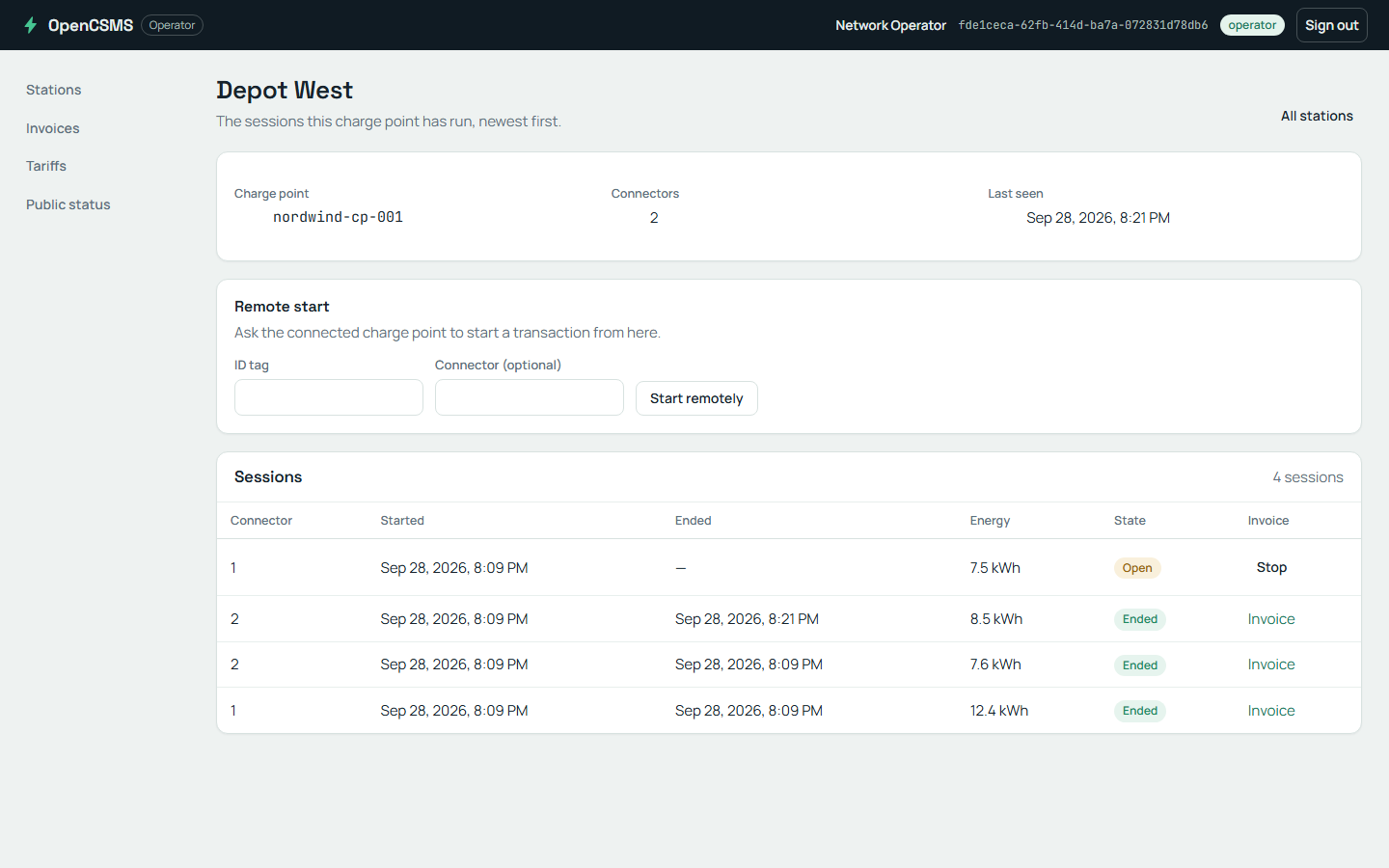
The dashboard the API resource serves. The station screen is the operator's view of the sessions the product recorded.
Checkpoint
The topology run is green with 13 skips, and the container run of the same suite has none. Name the two gates behind the skips and what each one needs that this mode does not have.
[RequiresInProcess] and [RequiresTestClock].[RequiresInProcess] needs the test host: the AppHost runs the product as separate processes, so there is no in-process server, no loopback application and no worker host to reach. [RequiresTestClock] needs the run's clock inside the application; these processes read the machine clock. The runner lists every skipped test; --logger "console;verbosity=detailed" prints each reason beside it.What you learned
- The AppHost is one provider in the same chain, selected by one key.
- It runs the API and both workers as project resources beside PostgreSQL and RabbitMQ.
- Real processes bring their own clock and no test host, so the clock and in-process journeys skip by name.