Run the suite on containers
Your suite needs a database and a broker, and you would rather not install either. Level 5 runs OpenCSMS, an EV charging system in its own repository. OpenCSMS is the suite that uses real infrastructure. Its suite has one Setup and four modes, and this level reads three of them plus the faults the suite injects on purpose.
- Run the suite with PostgreSQL and RabbitMQ containers the run owns.
- Read the composition to see which provider serves the store and the broker.
- Say what the run does when the environment already provides them.
- Level 4 (take the evidence to CI).
- An OpenCSMS checkout and a container runtime (Docker Desktop or equivalent). Reading the lesson alone also works.
The scenario
A suite that needs a database and a broker usually asks you to install both. OpenCSMS takes the other route: each target declares an ordered provider chain, and the first provider whose condition holds serves it.
The last link in the chain is a container the run starts and removes. One Setup runs in every mode; the environment decides which link wins.
What the suite needs
OpenCSMS is an EV charging management system with a real product shape:
- A REST API with a dashboard, an OCPP gateway for charge points and per-tenant API keys.
- PostgreSQL for the store and RabbitMQ for events.
- A billing worker that turns an ended session into an invoice, and a notification worker that pushes invoices to external targets.
Container mode runs the API and both workers inside the test process, the way the sample suite does, and starts the two containers the run owns. The suite is the same in every mode; only the winners of the provider chains change.
Run it
From the OpenCSMS repository root, with a container runtime available:
pwsh eng/run-suite.ps1 -Mode container
The script builds the dashboard first, runs dotnet test tests/OpenCsms.Suite -c Release, and tees the run to artifacts/gates/opencsms-container-<timestamp>.log. Run the script for the count below. A plain dotnet test tests/OpenCsms.Suite skips the seven Chromium journeys, because the dashboard build they wait for is the script's first step, so it does not reproduce that summary.
The chain that decides
The store and the broker are declared the same way, one provider after another:
1.AddInfrastructure(2"CsmsDatabase",3chain => chain4.UseConfigured()5.UseAspireResource<OpenCsmsAppHostAnchor>("opencsms")6.UseContainer(PostgresDatabase.Container()),7CsmsInfrastructureExtensions.ConnectionStringKey)8.AddInfrastructure(9"CsmsBroker",10chain => chain11.UseConfigured()12.UseAspireResource<OpenCsmsAppHostAnchor>("rabbitmq")13.UseContainer(RabbitMqBroker.Container()),14RabbitMqOptions.ConnectionStringSetting,15"Messaging:RabbitMq:ConnectionString")
- A configured address wins
The environment provides the connection string, so no container starts for that target. That is what the configured mode relies on.
- Then the AppHost
The next lesson selects this provider. It stays second, so a configured address still wins over it.
- Then a container the run owns
PostgresDatabase.Container() starts postgres:16-alpine only when nothing above it served the key. The broker chain follows with rabbitmq:3.
- One key, two readers
The last argument names the setting the winning provider fills. The application and the suite read one address, not two.
Setup.cs. UseConfigured, UseAspireResource and UseContainer are the three providers this level explains.The run's own counts
The log the script wrote ends with the suite's own summary:
Passed! - Failed: 0, Passed: 75, Skipped: 0, Total: 75, Duration: 6 s - OpenCsms.Suite.dll (net8.0)
That is the run recorded on 2026-09-28 in opencsms-container-20260928-194709.log. All 75 tests ran, including the seven Chromium journeys, the OCPP device journeys and the showpiece journey that once caught the idle fee regression. Container mode is the full suite, not a smoke run.
How the three modes compare, with the counts each lesson quotes:
| Mode | API | Workers | Store and broker | Counts |
|---|---|---|---|---|
| Containers | In the test process | In the test process | Postgres container the run starts; RabbitMQ container the run starts | 75 passed, 0 skipped of 75 |
| Aspire topology | AppHost api project resource | AppHost project resources | AppHost Postgres container; AppHost RabbitMQ container | 61 passed, 13 skipped of 74 |
| Published | A process started outside the suite | Processes started outside the suite | Persistent container the run points at; Persistent container the run points at | 61 passed, 13 skipped of 74 |
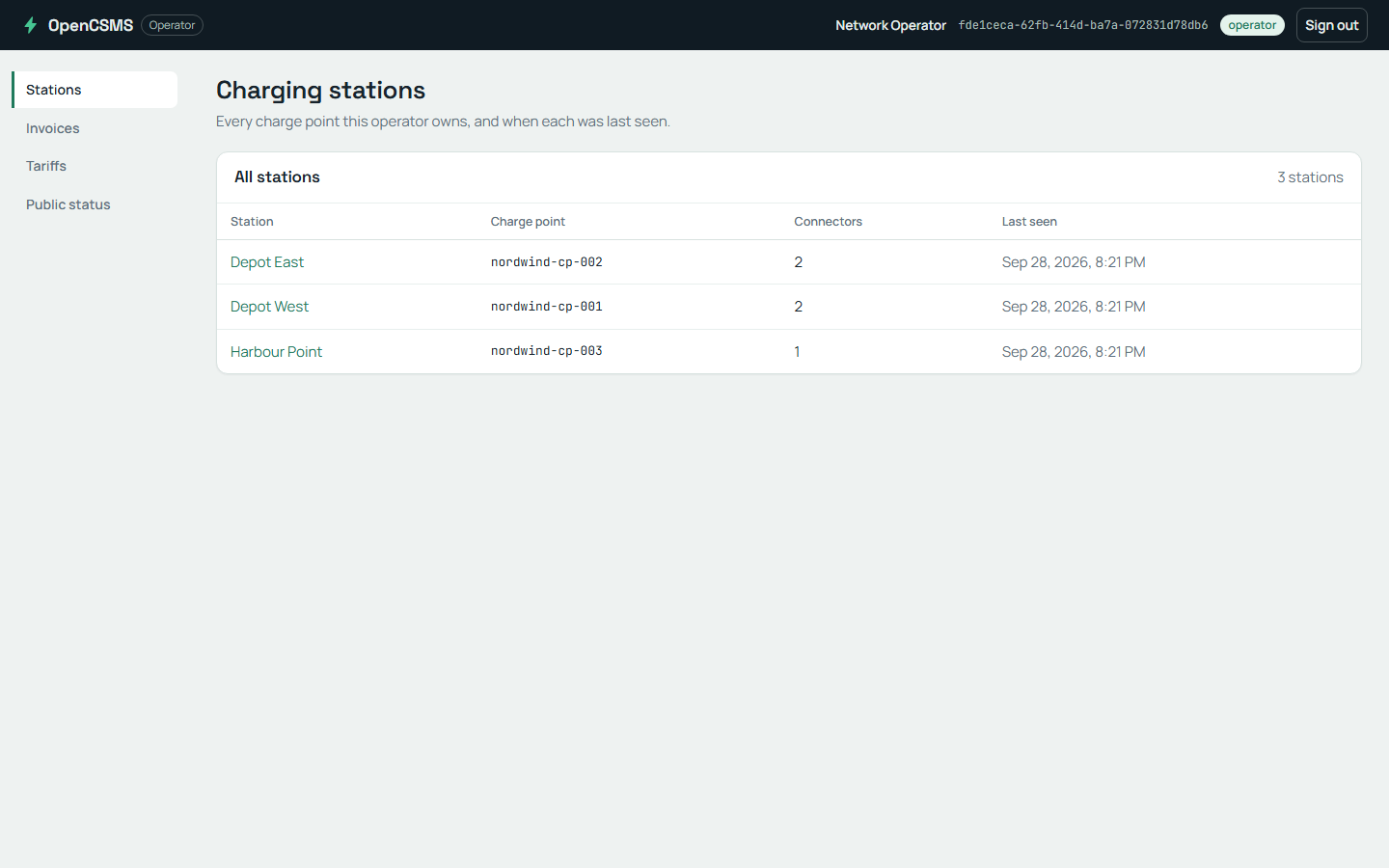
The operator dashboard on a local run. This is the stations screen the seven Chromium journeys drive, served by the API the run hosts.
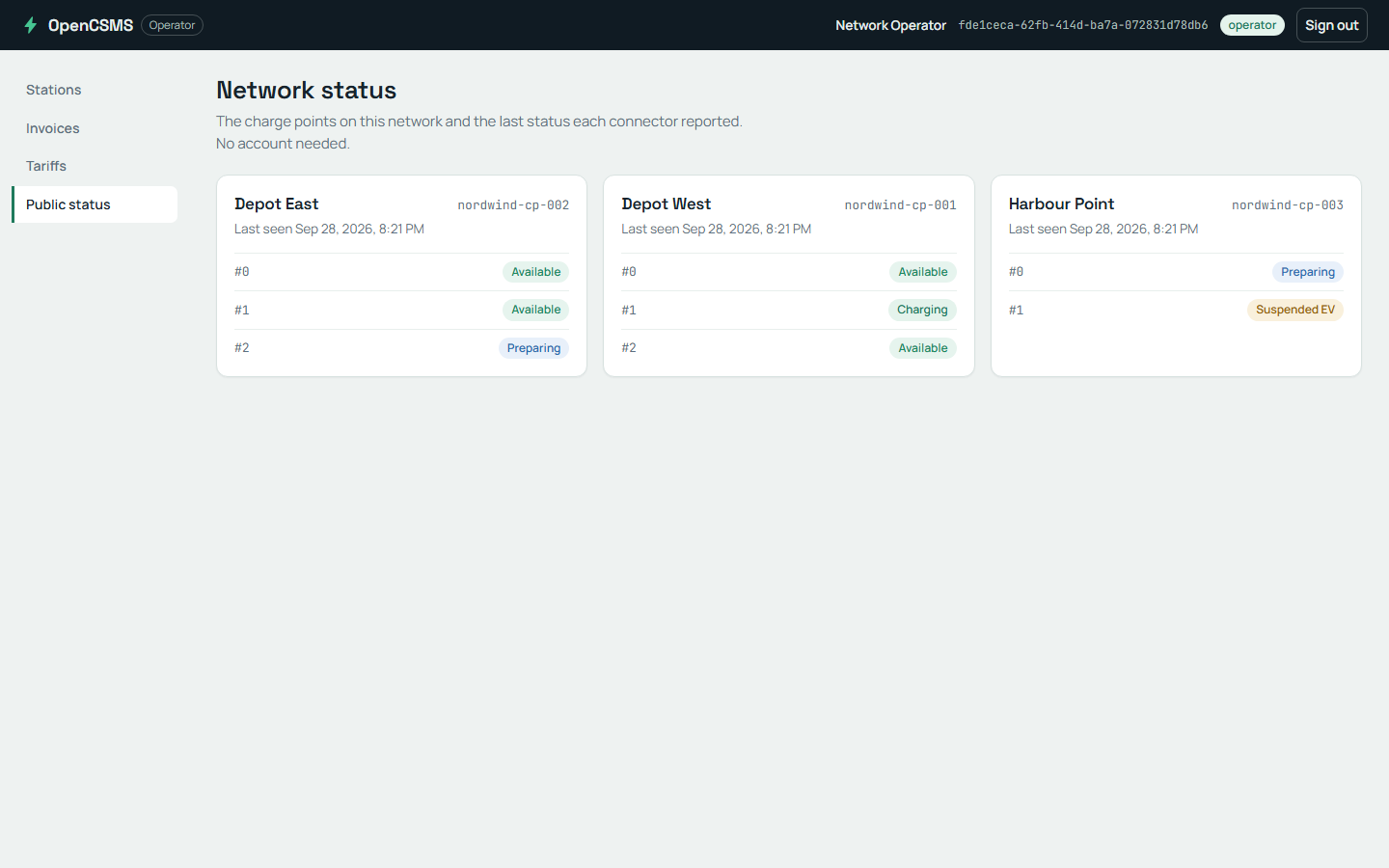
The public status page is the anonymous read the suite checks next to the operator surface, with no sign-in.
When the environment provides the pieces
A machine without a container runtime can still run the suite. Provide the three keys the configured mode requires, and the chains step aside:
ConnectionStrings__Csms
Messaging__RabbitMq__ConnectionString
ProtoTest__Messaging__RabbitMq__ConnectionString
The first key is the product's database, the second the product's broker, and the third the address the suite's own messaging tap uses. The same suite then runs against the environment you point it at, and the run log tells the story again.
Checkpoint
The container run is green and starts both containers. You export ConnectionStrings:Csms before the next run. What happens to the CsmsDatabase container, and where is that decided?
What you learned
- Each target follows an ordered chain, and the first provider whose condition holds serves it.
- Container mode starts postgres:16-alpine and rabbitmq:3 for the run and removes them with it.
- The run writes its own log, so the mode evidence is a file rather than a claim.